DAW conversion
Convert REAPER to Ableton: RPP to ALS
To convert a REAPER project to Ableton Live, open Wolflow’s Converter, select the .rpp file and choose Ableton Live as the destination. Open the resulting .als in the destination DAW and review the report: clips, MIDI, automation and plugins transfer within the project’s compatibility limits.
When to move from REAPER to Ableton Live
Use this conversion to develop a REAPER recording or arrangement in Live. The result is a Live Set, rather than just a MIDI file; transferred elements depend on media, plugins and supported features.
Prepare the project, samples and plugins
Save a copy of the REAPER session with required media collected in the project folder. Note JSFX plugins, track folders and complex routing: Live may represent them differently, and some effects cannot transfer directly.
- Keep the original and work on a project copy.
- Install the required compatible plugins in the destination DAW: conversion does not install instruments or licenses.
- When sharing the result on another computer, include media and check external paths.
How to convert .rpp to .als
- Install Wolflow for Windows or macOS and open the Converter.
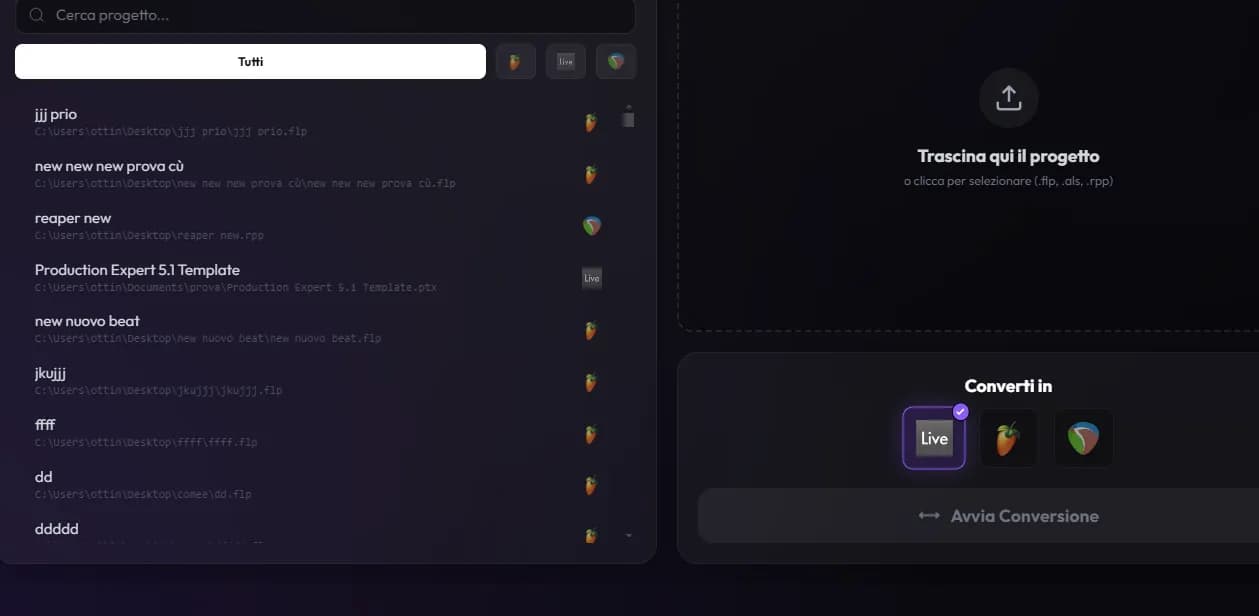
- Select the .rpp project from your library or drop it into the Converter.
- Choose Ableton Live, run the conversion and read the report before opening the .als file.
What to check in Ableton Live
In Live, review Arrangement View, clips and song tempo. Compare plugin chains and sends with the REAPER session, then listen to item transitions. For a part that depends on JSFX, including a rendered audio track may be more useful.
Compare playback with the original bounce. A file opening successfully does not by itself show that every instrument, automation lane and routing behaves identically.
Project conversion or stems?
Project conversion retains supported editable elements. Stems contain rendered audio: useful for preserving complex parts’ sound, but without editable MIDI and instruments. Choose the method based on the work your collaborator needs to do.
Frequently asked questions
Can I open a .rpp file directly in Ableton Live?
These are different project formats. For this route Wolflow generates a .als file; renaming the original file’s extension is not enough.
Are plugins and presets preserved?
Wolflow transfers compatible plugin state. Plugin availability, versions, format and native devices can affect the result. The report identifies unsupported elements; also verify playback in the destination DAW.
Can I try the Converter for free?
The Free plan allows one conversion every 7 days, with a connected account and a connection to verify the quota. Projects are processed locally. Check the plans page for availability and limits.
Sources and documentation
Try it with your next project
Wolflow is a desktop app for Windows and macOS. Free conversions and backups require a connected account to verify the 7-day quota; Disk Management is a PRO feature. Check the plans for availability.