Automatic Analysis
Understand every project in 2 seconds
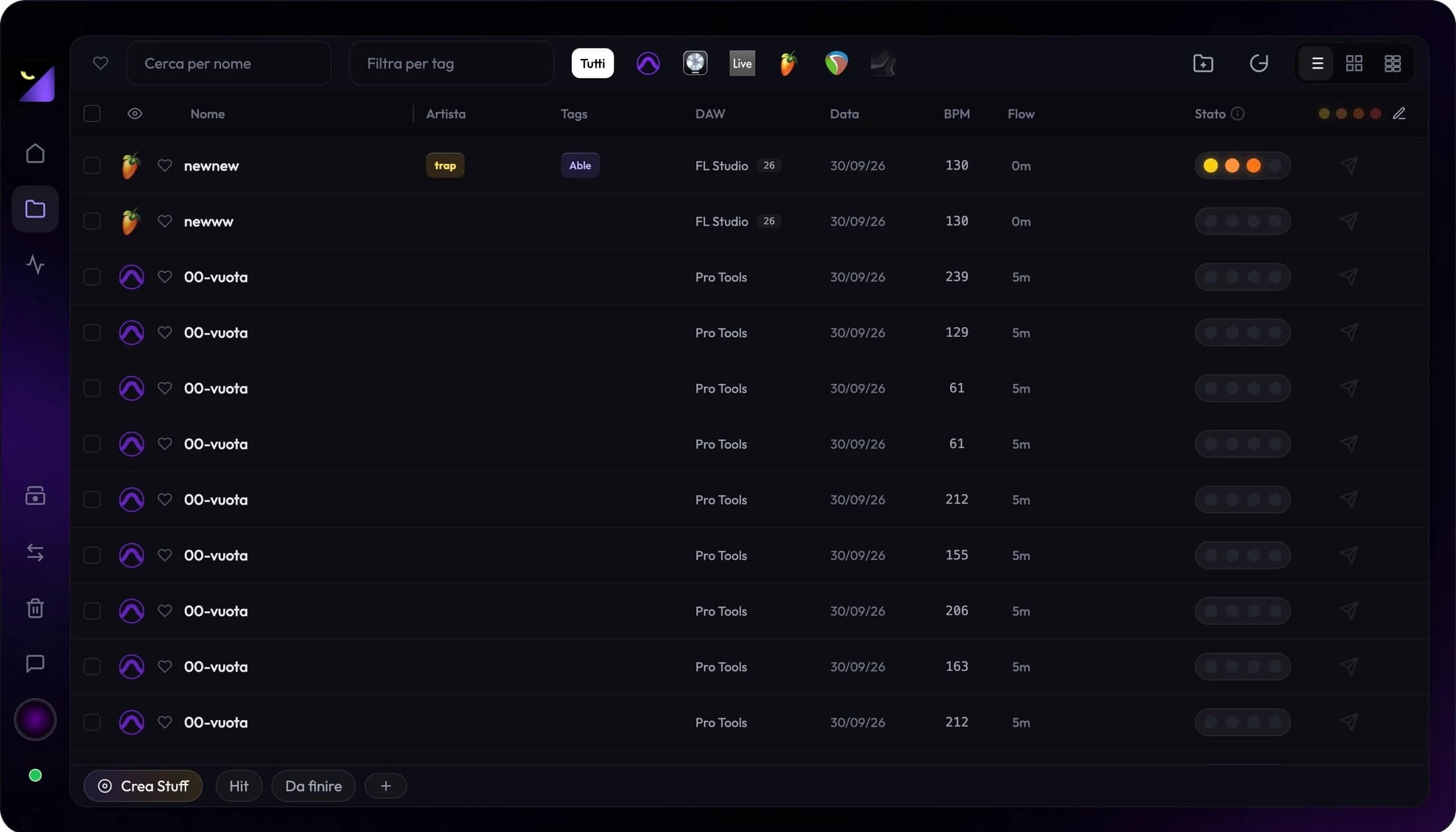
Wolflow automatically extracts BPM, plugins used, samples, duration, and estimated work hours. No more 'what's in here?'
For producers, video makers and creators: every project, always under control.
Organize
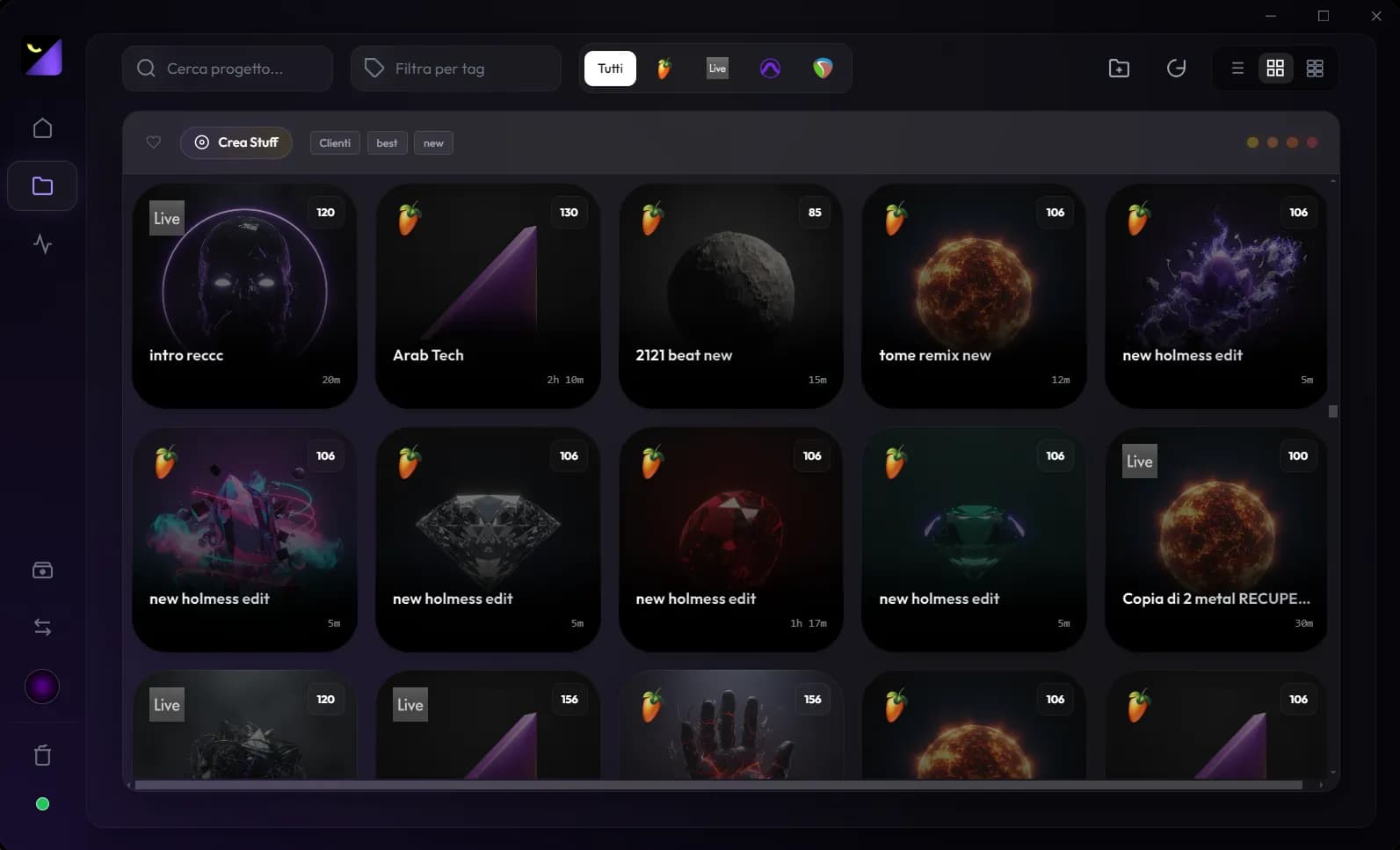
All your audio and video projects in one library, with tags and status.
Free Access
All your favorite DAWs and NLEs supported.












Legal notice — All logos, trademarks and product names shown on this page and inside the app are the exclusive property of their respective owners and are reproduced solely for identification and descriptive purposes, to indicate the software Wolflow is compatible with. Wolflow is an independent product and is not affiliated with, associated with or sponsored by the owners of those trademarks, with whom it has no collaboration or partnership of any kind. Wolflow's analysis is limited to the data freely readable inside the project files already stored on the user's own computer and analysed at the user's explicit choice: no software is modified, decompiled, or circumvented in any of its protections.
Understand every project in 2 seconds
Wolflow automatically extracts BPM, plugins used, samples, duration, and estimated work hours. No more 'what's in here?'
All in one
Audio Mode for producers. Video Mode for video editors. Instant switch, same power.
Only your most important projects
Smart dashboard that shows what you use the most, sorted by date, type or priority. Find everything at a glance.
Discover how much time you've invested
Wolflow automatically calculates estimated work hours to understand the value of your catalog. Finally know how much your work is worth.
Zero complex configurations. Install Wolflow and let it do all the heavy lifting for you.

01
Once installed, Wolflow will automatically search for your projects

02
In real time, the smart bridge understands when you're working

03
Forget the time wasted searching for old beats or video projects. You'll have everything at your fingertips!
It's that simple, and it's always with you!
The fastest way to organize your ideas.
Analyze projects, manage your catalog and quickly find your bounces.
BPM, duration, tracks, plugins used, samples and estimated work time.
Create smart tags and add custom classifications.
Find and open exported audio files instantly.
Find heavy exports and files, and keep the project without them.


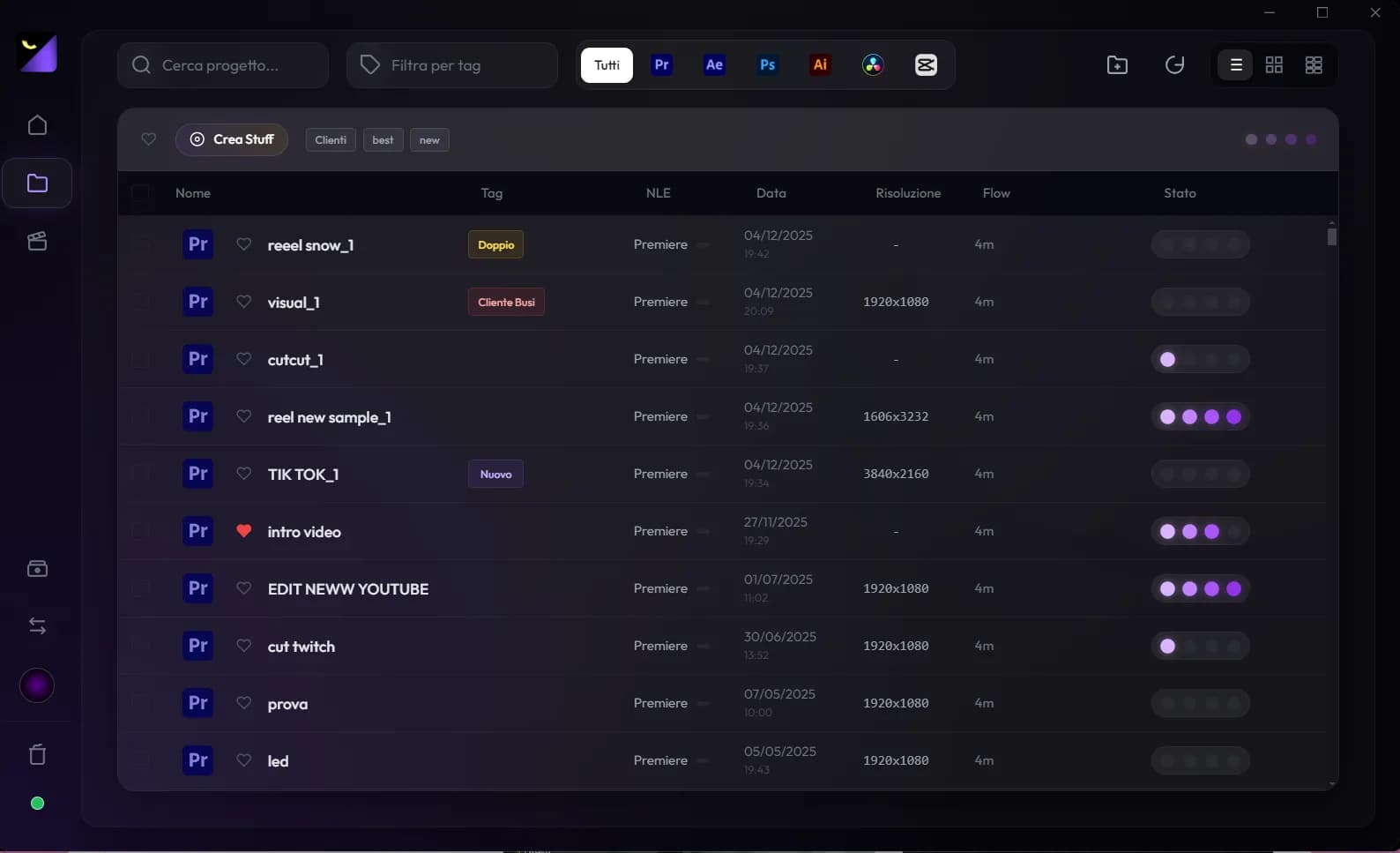
Perfect for creators and post-producers who want to quickly understand what's inside a project, how it's organized, and if there are issues to fix.
Resolution, tracks, clips, FPS and missing assets.
Automatic tags to distinguish Edit, Color, FX and Final.
Detect missing files and issues before rendering or opening in the timeline.
Delete unused videos and cache: lots of GB freed, project intact.
Not just statistics. Wolflow replaces dozens of micro-utilities, becoming your all-in-one studio assistant.
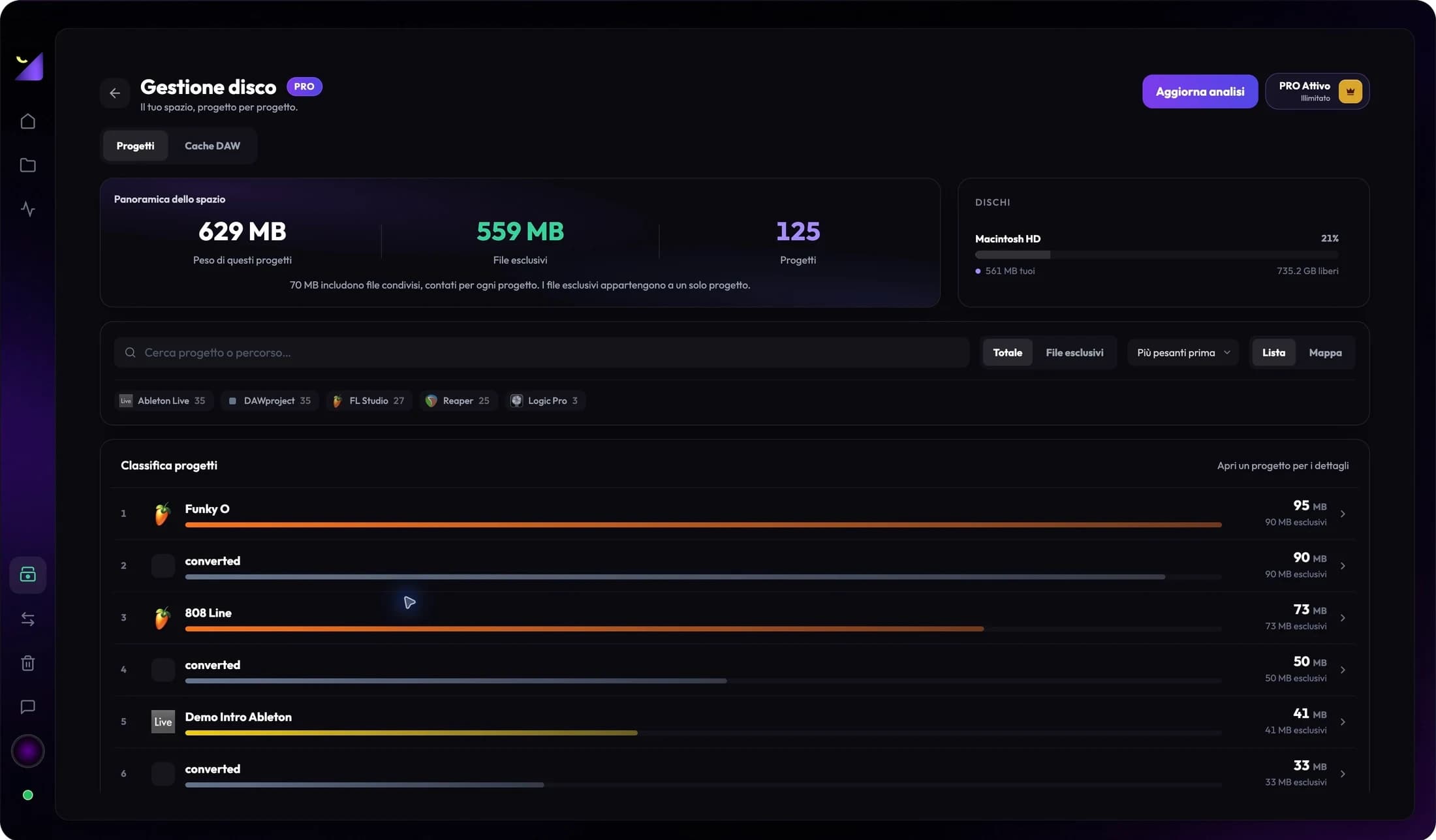
Find large projects, understand cache and prepare your backups.
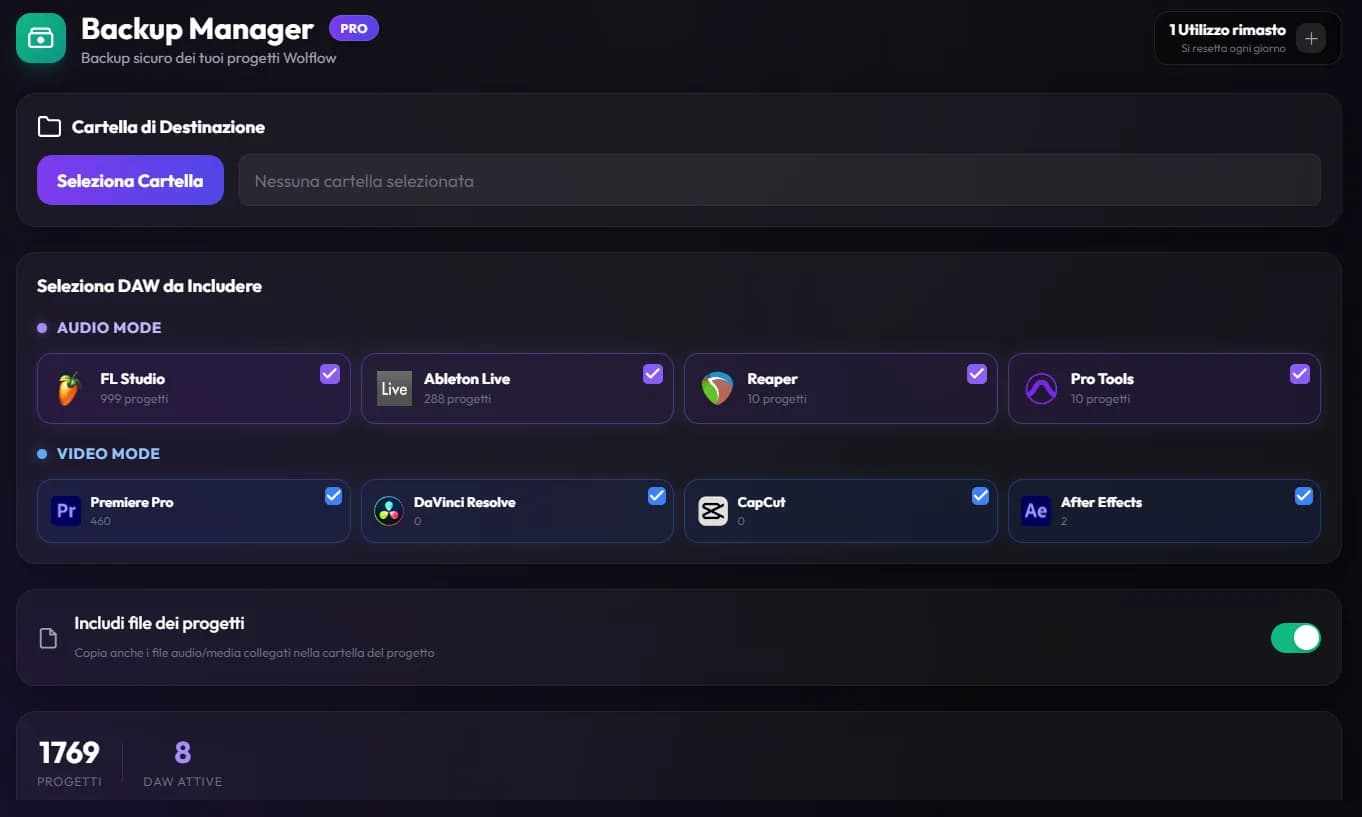
Explore Disk ManagementA broken hard drive or corrupted file will no longer be a nightmare. The Backup Manager copies projects and media in their folders to your chosen destination. Check external assets separately and verify the copy before archiving originals.
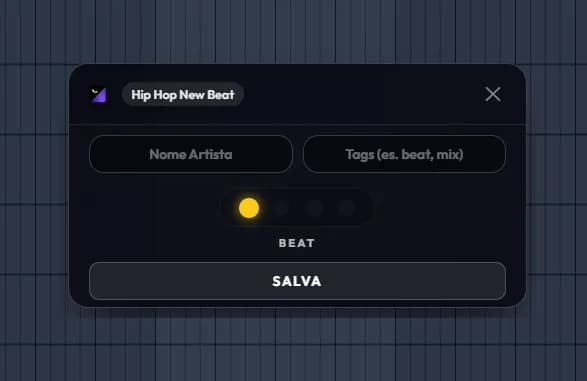
Having folders full of unnamed or randomly scattered projects is a thing of the past. With every save, a quick pop-up will ask you to assign tags, artist or status on the fly. The result? A perfectly organized archive with zero effort.
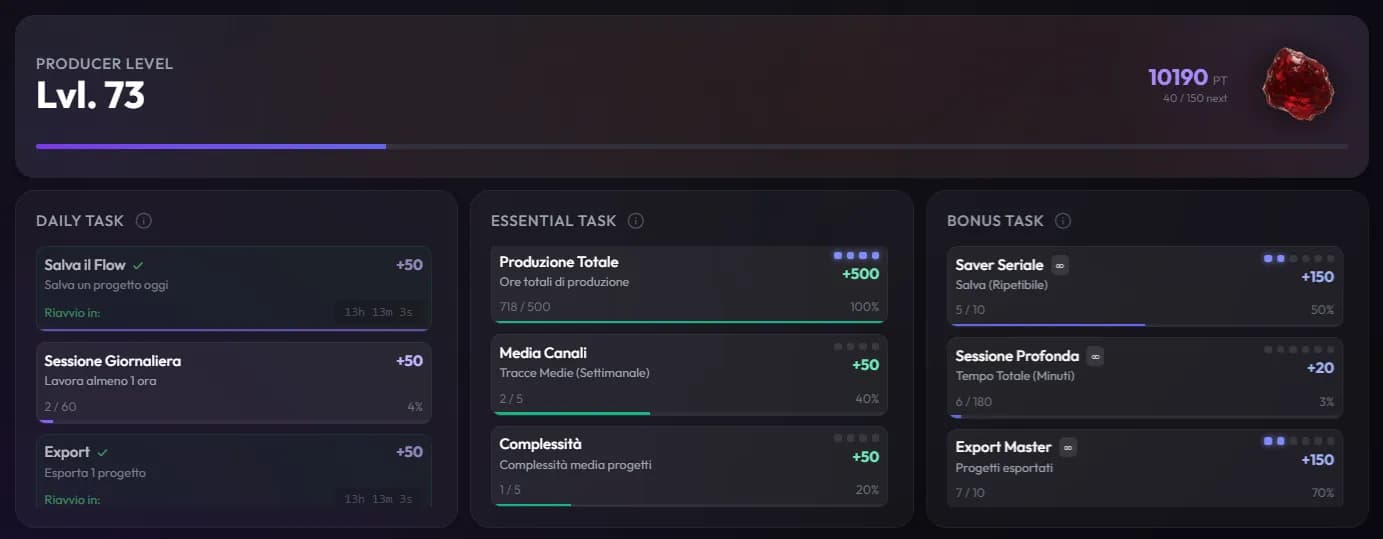
Consistency is the key to success. Earn XP, complete daily tasks and unlock milestones. Turn your production into a real motivating challenge that will push you beyond your limits and keep you producing consistently.
Choose Wolflow Free for unlimited core features, or upgrade to PRO for unlimited conversions and backups.
Up to 100 projects, with a cap on the tools.
2 computers · cancel anytime
Join the producers and video editors who have already revolutionized their workflow with Wolflow.
Free Access
Continue with related guides: practical steps and checks for your next project.
Move a FL Studio project to Ableton Live with Wolflow. Prepare samples and plugins, convert FLP to ALS and check the result before collaborating.
Read the guideSSD full with Premiere Pro? Separate footage, proxies, exports and Media Cache. Find large projects with Wolflow and prepare your archive.
Read the guideOrganize DAW sessions and video edits with Wolflow: a searchable library, tags, project status and metadata from supported applications.
Read the guideFAQ
You can download Wolflow and use the local library without an account. Free conversions, transfers and backups need a connected account and a connection to verify the quota; the PRO plan is tied to your account.
Yes! The app runs 100% offline and locally on your computer. The only external connection is for managing subscriptions and sending data (exclusively numerical) for your public profile and the Plugin Charts leaderboard.
No problem! Wolflow was designed to natively support multiple software (FL Studio, Ableton, Logic, Pro Tools, etc.) keeping everything organized in a single unified dashboard.
Absolutely not. Wolflow operates in read-only mode during scans. Your original project files, samples and presets are safe and will never be altered.
Yes, our dashboard lets you create custom tags using text or emoji. You can filter dozens of projects on the fly, instantly finding the right one based on vibe, genre or BPM.
The free version includes up to 100 Project Analyses, 3 conversions and 3 encrypted transfers every 7 days and 1 backup a month, with a connected account and a connection to verify the quota, while still offering all core apps (Dashboard, Bridge, DAW/NLE Charts). The PRO plan unlocks scans and extra features completely unlimited, giving you zero limitations on your workflow.
Have more questions? Contact us
 FL Studio
 Ableton Live