Audio and plugins
Advanced audio analysis: spectrum, stereo, dynamics and noise
Advanced audio analysis works on a readable export, showing spectrum, stereo, loudness, dynamics and technical indicators. Choose MIX or MASTER to interpret the report in context, then return to your DAW to make any corrections.
Open advanced analysis and choose MIX or MASTER
- Link an export to the project and open Advanced Analysis or Full Analysis in the available controls.
- Choose a readable file and MIX for the mix or MASTER for the finalized version.
- Start Analyze and wait for measurements to finish before reading the report.
- Use history to find earlier analyses, checking that they describe the audio revision you want to assess.
Spectrum and tonal balance
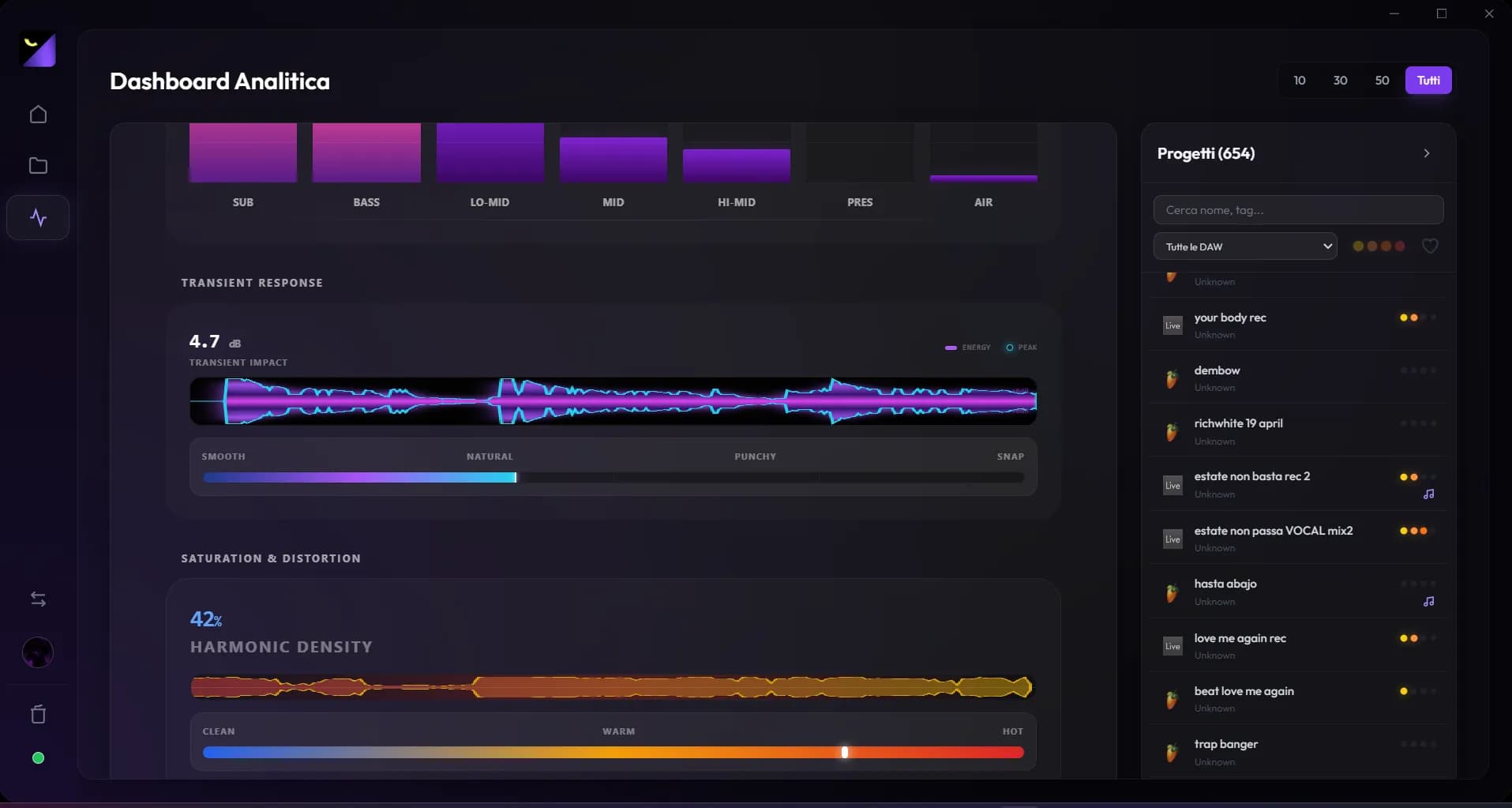
Spectrum shows energy distribution across frequencies; tonal balance groups regions such as sub, bass, mids and highs. A dominant region is not automatically a flaw; it depends on arrangement, genre and intent. Look especially for revision changes and passages where vocals or instruments mask each other. Listen before applying cuts or boosts.
Stereo image, phase and mono compatibility
The goniometer and stereo measurements help assess width and the relationship between channels. A wide image can lose important elements when summed to mono. Check vocals, bass and central attacks; if something disappears, investigate widening, delays and polarity in the DAW. An average stereo value does not describe every moment of a song.
Dynamics, transients and compression
Loudness and peaks describe level; dynamics history and transients show energy changes. Compare quiet and dense sections to understand whether processing reduces contrast. Compression and saturation detection provide signal clues rather than a definitive list of processors used. Intentional distortion needs different interpretation from accidental clipping.
Noise, references and technical reports
Noise analysis helps identify material worth checking in quiet passages. Reports and genre references suggest checks from data and local analysis rules. Even where the interface uses the word AI, do not treat them as certification or infallible artistic judgment. Listen to the flagged passage and identify the cause in the mix before acting.
An effective revision workflow
Choose one concrete issue, such as an excessive peak or masked vocal. Correct it in the DAW, export a distinct revision and analyze under the same conditions. Also compare A/B at equivalent level. A better measurement with worse playback is not a better delivery; document the change and keep the previous render.
Frequently asked questions
Does the report automatically fix EQ or compression?
No. It identifies things to check; sound changes are made in the DAW.
Can I identify every plugin from an audio file?
No. Measurements describe the sonic result. Use project analysis for plugin lists where the format supports it.
Try it with your next project
Wolflow is a desktop app for Windows and macOS. Free conversions and backups require a connected account to verify the 7-day quota; Disk Management is a PRO feature. Check the plans for availability.