DAW conversion
Export stems and AAF for Pro Tools and Logic Pro
Wolflow’s stems workflow has the source DAW render audio and prepares an AAF handoff with media. It helps bring sound into Pro Tools or Logic when an editable session is not the best deliverable.
Source, destination and requirements
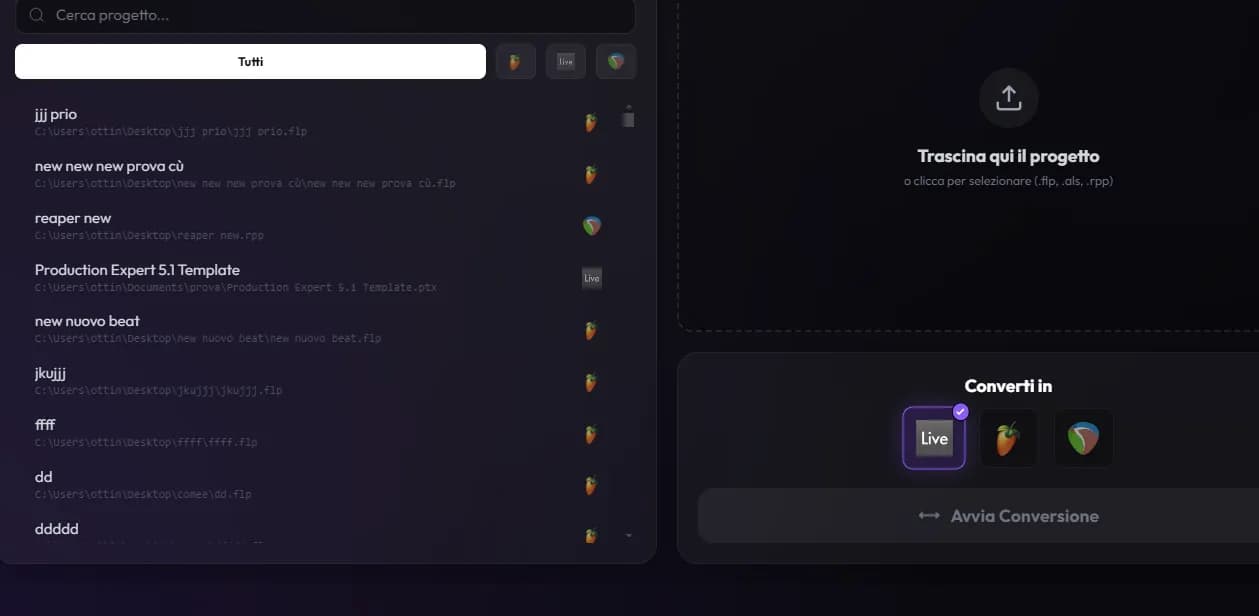
The guided workflow starts from FL Studio or Ableton; on Mac, Logic can also be a source. The DAW must be installed, open the project and access plugins needed for rendering. Select stems mode and the intended destination in the Converter. Converting notes or presets differs from rendering audio: stems print the sonic result.
Mix and Project: how stems are arranged
Mix mode prepares stems from a common song start, useful for mixing. Project mode positions clips according to the supported arrangement. Choose based on the recipient’s work and check positions, silence, mutes and effect tails in the result. Keep a full bounce for essential content; it exposes incomplete renders or mistimed imports.
Follow guided export
- Save the project, select it in the Converter and start the stems workflow.
- When the DAW opens, resolve plugin warnings before exporting.
- Follow panel instructions for tracks, WAV format, destination and the full song range.
- Wait for render detection, name organization and AAF preparation.
- Open the final folder and import the AAF into the destination application using the indicated settings.
Sample rate, tempo and timeline selections
Use the sample rate and tempo shown by the workflow. Inconsistent settings can cause wrong-speed playback or offline media. A remaining timeline selection can render only part of the song; the workflow flags partial results when detectable. Still compare duration and ending with the source, including reverb and delay tails.
Deliver AAF, audio and MIDI together
The AAF may reference media in the generated folder: sending only the AAF can leave clips offline. Preserve package structure and names, and include any generated MIDI. In the destination, check tracks, alignment and playback; Logic and Pro Tools importers may treat gain, mutes and references differently. Deliver the verified folder.
Stuck, silent or incomplete render
If export remains pending, check the DAW window and selected folder. For silent stems, inspect routing, mutes and plugins in the original. For short duration, clear time selection and render the full song again. Cancel through available controls if needed; before restarting, ensure a previous export window is not still active.
Frequently asked questions
Do stems keep synthesizers editable?
No. They preserve rendered audio. You can also deliver MIDI and the source session, but instruments remain dependent on the original DAW and plugins.
Can I send only the AAF file?
Only if you have verified it actually contains everything needed. In Wolflow’s workflow, preserve and deliver the indicated media folder too.
Try it with your next project
Wolflow is a desktop app for Windows and macOS. Free conversions and backups require a connected account to verify the 7-day quota; Disk Management is a PRO feature. Check the plans for availability.