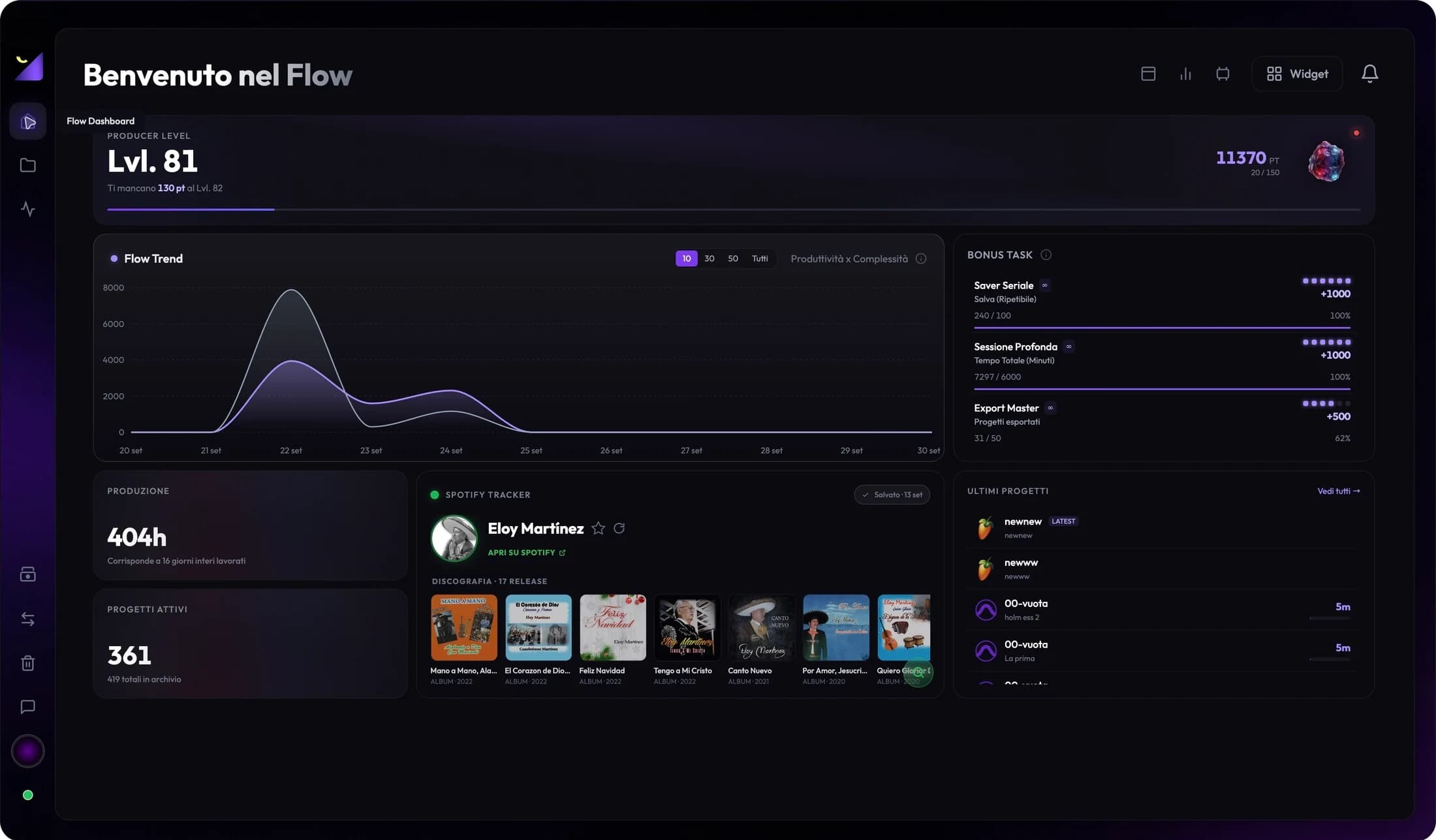
Dashboard and productivity
Spotify and YouTube widgets: follow an artist and channel
Spotify and YouTube widgets add available public data for your selected artist or channel to Dashboard. Find a profile, keep it as a reference and refresh data without confusing it with local project statistics.
Add an integration widget
- Open Widgets from Dashboard and choose Integrations.
- Add Spotify Tracker or YouTube Tracker and place it in the layout.
- Check account connection and network if the panel requires authentication for searching or refreshing.
- Search for an artist or channel and verify the result before selecting it.
Spotify Tracker: choose an artist
Search by name and identify the correct profile using available imagery and details. Select the artist you want to follow; the widget keeps the selection and displays returned data such as followers where available. It does not provide universal access to private Spotify for Artists statistics or infer plays from DAW projects.
YouTube Tracker: choose a channel
Search for a channel and verify name, image and description; similar channels can return different results. The widget can show subscribers and views for available videos. A dash for hidden subscribers means non-public data rather than zero subscribers. Metrics depend on service responses and do not replace all YouTube Studio analytics.
Snapshots, refresh and changing selection
The panel can retain previous data to avoid unnecessary requests. Use refresh when you want a new reading; the previous snapshot may remain visible while loading. Check selection and state before interpreting a difference as growth or decline. Changing artist or channel changes the source rather than app-recorded production.
Missing results or stale data
Check account, network and search name. If the service returns a limit or error, read the message and retry after addressing its cause. Unavailable data does not prove the profile does not exist; it may involve API access, authentication or hidden information. If search finds the wrong namesake, choose another result and recheck details.
View production alongside distribution
Place Recent Projects and Production Trend beside the public profile to follow work and publishing context. Their numbers describe different domains: a new export does not automatically generate streams, and follower growth does not measure mixing hours. Use widgets for a convenient view and open official services when detailed distribution data is needed.
Frequently asked questions
Must I connect my personal Spotify account?
The widget searches public data through Wolflow’s available service. Follow its displayed account requirement; do not assume a Wolflow account grants private Spotify analytics.
Do the widgets publish songs or videos?
No. They display information for the selected profile. Uploading and publishing remain in distribution services.
Try it with your next project
Wolflow is a desktop app for Windows and macOS. Free conversions and backups require a connected account to verify the 7-day quota; Disk Management is a PRO feature. Check the plans for availability.